


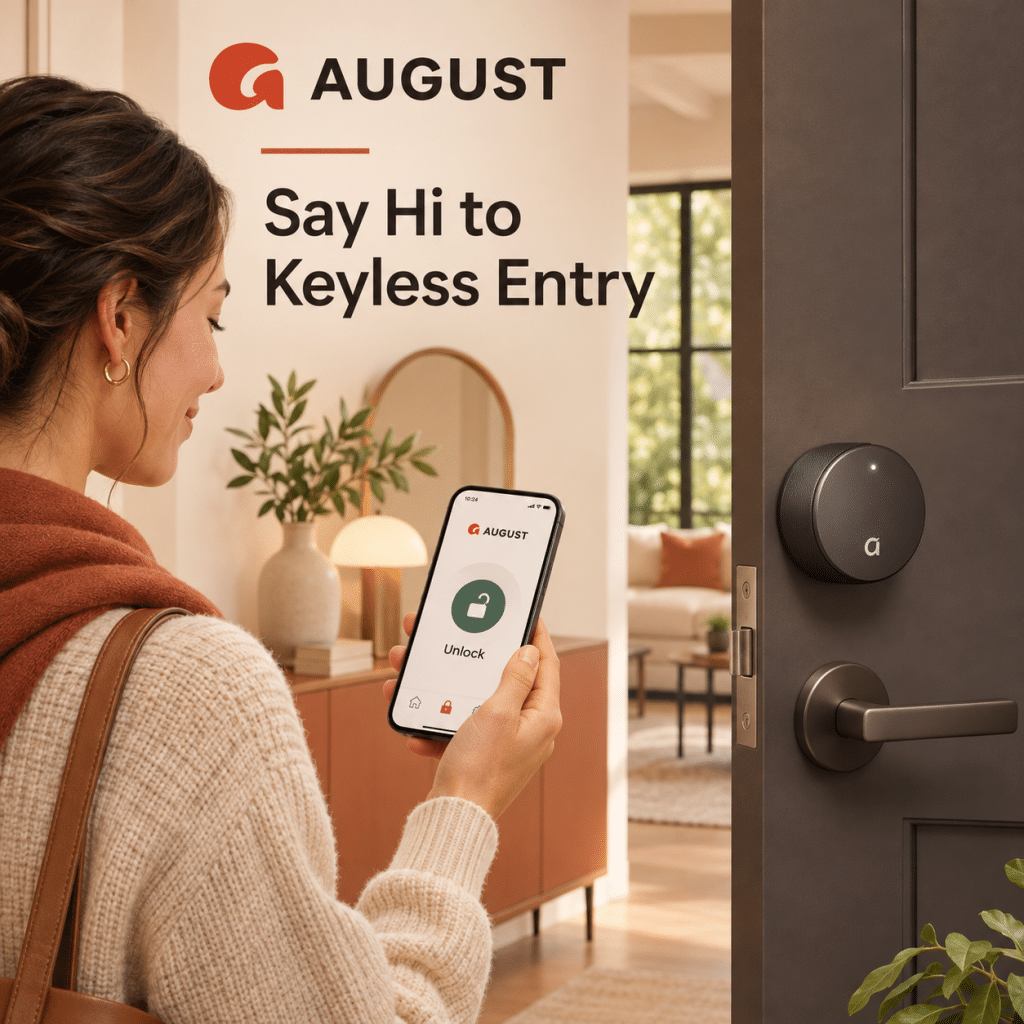
The August Wi-Fi Smart Lock is designed to add connected controls to a door without replacing its existing exterior lock hardware. It mounts on the inside of a compatible single-cylinder deadbolt, so the original key remains usable alongside the August app. Built-in Wi-Fi supports remote access without a separate bridge, while features such as Auto-Lock, Auto-Unlock, DoorSense, and guest access extend the lock beyond phone-based locking and unlocking. August presents the product as a retrofit option for homeowners and renters; compatibility with a particular door and deadbolt still needs to be checked. August
That combination makes the lock’s basic proposition less about eliminating every traditional way into a home and more about adding options around an existing deadbolt. A resident can use a phone, an Apple Watch, or the original key, and can add a keypad separately for code entry. The product page also describes remote controls, activity records, notifications, and voice-assistant integrations. Understanding which functions are built into the lock, which depend on Wi-Fi or the app, and which require an accessory helps clarify how the system is intended to work.
A retrofit lock that leaves the outside hardware in place
The August Wi-Fi Smart Lock attaches to the interior side of a door over an existing single-cylinder deadbolt. According to August, installation leaves the outside lock untouched, allowing the homeowner to retain the original keys and exterior hardware. That arrangement is central to the product’s design: the smart mechanism operates the deadbolt from inside, while the familiar key remains another way to use it.
August says installation takes less than 10 minutes and describes the process as involving minimal assembly. The package contents listed on the product page include the Wi-Fi Smart Lock, a DoorSense sensor, two CR123 batteries, a lock adapter, and mounting hardware. The lock measures 72 millimeters in diameter and 46 millimeters in depth. These details give shoppers practical points to check before choosing a location or beginning installation, though the available source does not provide a complete door-by-door fit assessment.
Compatibility is limited to existing single-cylinder deadbolts, and August directs buyers to check compatibility before purchase. The product page describes the lock as renter-friendly because it fits over the existing deadbolt rather than requiring the exterior lock and keys to be replaced. That description concerns the installation approach; it does not establish that every rental agreement or every door will permit installation. The actual deadbolt and door should meet the product’s requirements.
Keeping the original key also means the smart features do not make the mechanical key obsolete. A user can continue to operate the deadbolt in the familiar way, while the app and optional accessories create additional access methods. This is a useful distinction for anyone comparing a retrofit lock with a full hardware replacement: the August model is presented as an addition to an existing deadbolt, not as a replacement for every part of it.
Built-in Wi-Fi and app-based control
Unlike August’s listed Smart Lock + Connect configuration, the Wi-Fi Smart Lock has Wi-Fi built into the lock. August says this removes the need for an additional bridge to connect the product to Wi-Fi and enables remote access and voice-assistant functions. The stated network requirement is a Wi-Fi internet connection using 802.11 b/g/n at either 2.4 GHz or 5 GHz. A free August app for iOS or Android and a compatible smartphone are also listed among the requirements.
Within the app, users can lock or unlock the door and check its status. August also describes remote control from outside the home: a user can, for example, let a visitor in or secure the door if someone has left without locking it. These are app functions rather than a claim that the lock independently makes access decisions in every circumstance. Remote operation depends on the product’s connection and the required phone and app setup.
The lock can also be operated with an Apple Watch, according to the product page. In addition to the original key, the page identifies a smartphone, Apple Watch, and Yale Keypad as possible ways to access the lock. The keypad is an accessory rather than part of the listed standard lock package. August describes keypad bundles as options for adding code entry, while the Yale Keypad Touch is presented as offering fingerprint access as well as custom codes. Buyers should distinguish those accessory features from capabilities built into the lock itself.
August lists compatibility with Alexa, Google Assistant, and Siri, and says voice assistants can be used to lock, unlock, or check door status. The product page also refers to smart-home integrations and names partners including Samsung SmartThings and Philips Hue elsewhere on the site. Integration details may depend on the service and setup involved; the core product information specifically identifies Alexa, Google Assistant, and Siri for the Wi-Fi Smart Lock.
Automatic locking, unlocking, and door status
Auto-Lock is intended to secure the door after it closes or after a selected period of time. August says the delay can be set for up to 30 minutes. This gives users an option to have the deadbolt lock automatically rather than relying solely on remembering to operate it in the app or with a key. The feature’s description makes the door’s closed state part of the process, which is where the included DoorSense sensor comes in.
August describes DoorSense as a sensor that reports whether the door is securely closed and locked. The company says this can help users distinguish a locked door from one that may be ajar. The product page also says the app can provide smart alerts about changes to door status, including whether the door is left open, locked, or unlocked, and notifications when someone comes or goes. These functions center on visibility into the state and activity of the entry rather than on replacing the physical deadbolt.
Auto-Unlock is described as using geofencing to recognize when the user returns home and unlock the door. The stated aim is to let a person approach without first taking out a phone or finding a key. Because this feature uses location-related behavior and a connected phone, it is distinct from manually unlocking the door in the app. The available product information does not detail every setting or condition involved, so users should consult the app’s setup instructions for the precise configuration.
Guest access and an activity record
The August app can be used to create virtual guest keys and share access with people the homeowner trusts. August says access can be granted or revoked remotely, and its broader product information describes setting access for a specific stay period in vacation-rental situations. The lock page emphasizes sharing keys through the app rather than distributing physical copies. This can make temporary or shared access easier to manage, but recipients’ access still depends on the permissions and arrangements set up by the account holder.
An Activity Feed records when guests and household members enter or leave, according to August. Smart notifications can also report activity and changes in lock status. Together, these features give an account holder a way to review entry events and receive updates, rather than relying only on a physical key exchange or a check of the door itself. The source does not specify how long activity records are retained, so no retention period should be assumed.
For families, visitors, or service providers, the combination of app access and a separate keypad can accommodate different routines. Someone with a smartphone may use the app, while a keypad can provide code entry without requiring the visitor to use the owner’s phone. August’s site discusses the keypad as an add-on and describes custom codes; it does not mean keypad entry is included with the standalone Wi-Fi Smart Lock.
Security and account considerations
August says the Wi-Fi Smart Lock uses Bluetooth Low Energy encryption and TLS in its mobile applications. The company also describes requiring a second form of identity verification, through an email address or phone number, for August products. These are statements about the company’s security approach, not a guarantee that any connected device is immune to risk. The product page additionally calls out two-factor authentication as part of its security measures.
The page describes an option for disabling the August app and virtual keys on associated devices if a phone is lost. It also mentions biometric verification using a smartphone’s fingerprint or facial recognition for locking and unlocking. Those phone-level verification options are separate from the lock’s physical deadbolt and from the Yale Keypad Touch’s fingerprint-access feature. The product information does not specify that every phone supports every biometric option, so availability depends on the device and its configuration.
Connectivity and account setup are part of the product’s operating requirements. A buyer needs a compatible single-cylinder deadbolt, the August app, an iOS or Android smartphone, and Wi-Fi service meeting the listed frequency requirements. A household that wants code entry or keypad-based fingerprint access should consider the relevant keypad accessory separately. Checking these dependencies before installation helps set a realistic picture of what the lock can do on its own and what requires another device or service.
What the product is designed to add
The August Wi-Fi Smart Lock combines a retrofit installation with several ways to control and monitor a deadbolt. Its built-in Wi-Fi supports remote app access without an extra bridge; the app can manage the lock, share virtual keys, and show activity; DoorSense reports door status; and automatic routines can lock or unlock the door under the conditions August describes. Existing keys remain available, and the product can be paired with a separately sold keypad for code-based entry.
For someone considering the lock, the most important first steps are to verify the deadbolt type and compatibility, confirm that the home has the required Wi-Fi connection, and decide whether app access alone is sufficient or a keypad is also wanted. The source pages establish the product’s intended setup and feature set, but they do not resolve fit for every door or describe every configuration detail. Within those boundaries, the lock is presented as a way to add connected entry management while preserving the existing exterior hardware and mechanical key.
Sponsored by Gabal Global Group, with publishing tools from CheapPlugins.