


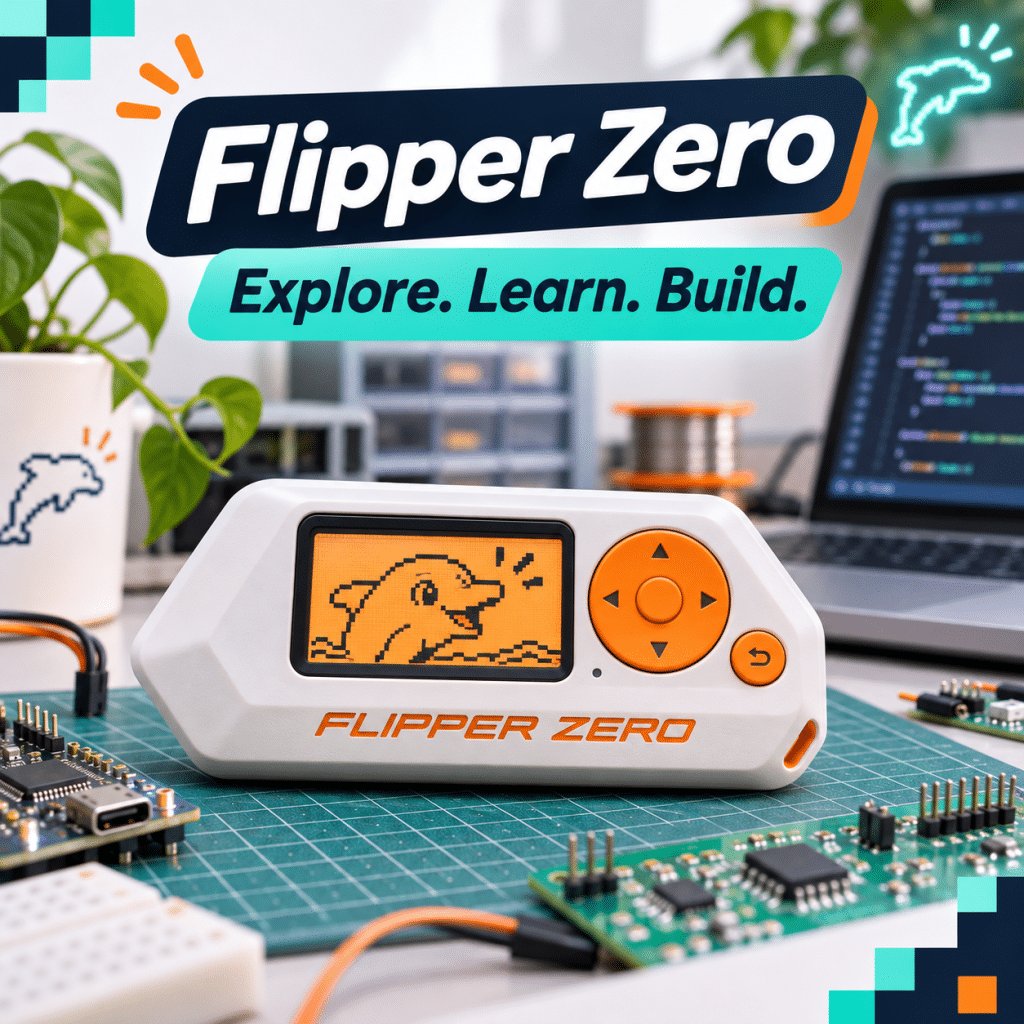
Flipper Zero is a portable multi-tool for exploring radio protocols, access-control technologies and electronic hardware. The device is sold by Flipper, and its maker describes it as an open-source, customizable tool intended for pentesters, developers and curious technology enthusiasts. Rather than focusing on one kind of signal or component, it brings several interfaces together in a small device with its own screen and controls.
A self-contained device with several ways to interact
The hardware is designed to work independently: a five-button directional pad and back button operate the menus, while a 128-by-64-pixel monochrome LCD displays information. USB-C supports charging, firmware updates and data exchange, and Bluetooth Low Energy provides a wireless connection to compatible phones and other devices. This combination gives the user a choice between direct control on the handheld itself and a larger-screen companion workflow.
Flipper’s published specifications list an STM32WB55RG microcontroller, with an ARM Cortex-M4 application processor and a separate ARM Cortex-M0+ radio processor. The maker describes the platform as low power. A 2,100 mAh lithium-polymer battery is specified, with battery life of up to 28 days listed on the product page. That figure is a published maximum, rather than a promise about every pattern of use.
The form factor is compact: the listed dimensions are 100 by 40 by 25 millimeters, and the stated weight is 102 grams. A case, buttons and integrated display distinguish it from a bare development board, which the company says was part of its effort to make the tool suitable for everyday handling. The front screen is an LCD rather than a TFT, IPS or OLED panel, a design choice the maker characterizes as deliberately old-school.
Its functions span multiple technologies, but those technologies do not all work in the same way. The device includes a sub-GHz transceiver, 125 kHz RFID and 13.56 MHz NFC hardware, an infrared transmitter and receiver, and a contact interface for 1-Wire keys. GPIO pins expose a separate path for experimentation with electronic boards. Understanding which interface applies to a particular device is an important first step; having a multi-tool does not mean every signal, card or system is compatible.
Radio and infrared: signals with different jobs
The sub-GHz radio is based on a CC1101 transceiver and an integrated multi-band antenna. The product information lists regional frequency bands including 315, 433, 868 and 915 MHz, with the supported band depending on region. Flipper describes this range as relevant to a broad class of wireless devices, such as some garage remotes, barriers, sensors and remote keyless systems. The device can capture and decode supported signals, save data to its microSD card, examine unknown signals in raw form and generate remotes, according to the current feature summary.
The published specification gives a possible range of up to 50 meters for the radio. Actual communication depends on factors such as the signal, device, surroundings and frequency band; the page does not make that maximum a guarantee for every use. The company also describes the radio as a customizable platform, with modulation methods supported by the CC1101 that can be used in digital communication projects. Additional applications can extend what users do with data from compatible devices, including reading information from weather stations.
Infrared offers a more familiar kind of control. Flipper Zero can transmit commands for electronics such as televisions, air conditioners, projectors and stereo systems, and includes a library of signals for common brands. It can also receive infrared signals from existing remotes and save them for later transmission. The company says community contributions help maintain its shared infrared remote database. This makes the infrared feature useful both as a practical way to consolidate supported remote commands and as a way to study how an existing remote communicates.
Infrared and sub-GHz radio are distinct tools, even when both are used to control household equipment. Infrared commands are typically associated with devices that receive light-based remote signals, while the sub-GHz module handles supported radio transmissions. The product page lists specific infrared protocols, including NEC-family, Kaseikyo, RCA, RC5, RC6, Samsung and SIRC. Knowing the relevant protocol and the device’s requirements matters more than simply selecting a feature from the menu.
Working with cards, tags and contact keys
For access technologies, Flipper Zero offers separate low- and high-frequency capabilities. Its 125 kHz RFID antenna is located at the bottom of the device. The maker says it can read supported proximity cards, save their data and emulate them later; IDs can also be entered manually. The product documentation notes that this older style of proximity card stores an identifier without an authentication mechanism. That description applies to the technology discussed on the page, not to access cards in general.
The NFC module operates at 13.56 MHz and supports reading, saving, writing to rewritable cards, and emulation for supported formats. The listed examples include several NXP MIFARE families, FeliCa, HID iClass/PicoPass and NFC Forum protocols. The 125 kHz and 13.56 MHz features therefore cover different frequency ranges and card types; one should not assume that a card is supported merely because it is commonly called an RFID or NFC card.
A third access-related interface is the 1-Wire contact pad for iButton-style keys, sometimes called Touch Memory keys. Flipper lists reading and storing supported key IDs, writing to rewritable keys, and emulation among its capabilities. Its specifications name protocols such as Dallas DS199x, DS1971, CYFRAL, Metakom, TM2004 and RW1990. The pad is shaped to work both as a reader and as a probe for compatible sockets, giving this feature a physical-contact workflow that differs from scanning a radio card or tag.
These functions are relevant to learning about access-control systems, but they are not a substitute for permission. A device’s ability to read, save or emulate a supported credential does not establish that a user is authorized to use it on a particular system. For legitimate exploration, testing and development, the appropriate boundary is to work with equipment and credentials one owns or has explicit permission to assess.
GPIO and development work
Beyond wireless signals, Flipper Zero can connect to other hardware through 13 user-accessible GPIO pins on 2.54 mm connectors. The listed logic level is 3.3 volts, with inputs described as 5-volt tolerant and a maximum of 20 milliamps per digital pin. Built-in 3.3 V and 5 V power pins can supply connected projects. These electrical details are practical constraints: developers need to check pin assignments and the requirements of the hardware they connect, rather than treating the connector as universally safe for any circuit.
The maker positions GPIO as a route into hardware exploration, firmware flashing, debugging and protocol testing. The device can run user code, show debug messages on its display, and act as a USB adapter for interfaces including UART, SPI and I2C. The listed tools include SPI flash programming, AVR ISP programming and OpenDAP. It can also be used for fuzzing—sending test inputs or signals to examine how a system responds. Those features make it relevant to hands-on development as well as to the radio and access-control functions that may first draw attention.
USB and Bluetooth extend the ways to manage the device. The product page says users can connect over USB for more control, while the BLE connection can link Flipper Zero to third-party devices and smartphones. Flipper’s iOS and Android apps are described as supporting firmware updates over BLE, remote control, key sharing and data management on a larger screen. The handheld remains usable from its own buttons, so these companion functions are options rather than prerequisites for ordinary menu navigation.
Storage, setup and the surrounding ecosystem
A microSD card is required to use Flipper Zero, and the company says one is not included with the device. The card stores items such as remote codes, signal databases, dictionaries, image assets and logs. The listed support extends to cards up to 256 GB in SPI mode and the FAT12, FAT16, FAT32 and exFAT file systems; the specification recommends a 2–32 GB card. The product page also sets out a simple initial sequence: install a card, update firmware, then choose what to explore.
That storage requirement is worth considering alongside the device’s open-source and customizable positioning. The maker says the firmware is open source and that users can extend the tool, while its product information points to additional apps and community-maintained infrared signals. A microSD card provides room for data associated with those activities, but the device’s capability still depends on the particular signal, protocol, accessory or software involved.
Flipper’s store lists several related products, including a WiFi development board based on an ESP32 module, a video game module powered by Raspberry Pi, silicone cases, screen protectors and prototyping boards. These are separate accessories rather than built-in Flipper Zero features. The store also lists a 16 GB microSD card and notes that a card is necessary for the device, which is a useful setup detail for anyone planning what else is needed to get started.
As a product, Flipper Zero is best understood as a compact interface to a collection of distinct technologies, not as a universal key or a single-purpose remote. Its screen and buttons support standalone use; radio, infrared and card interfaces address different kinds of signals; and GPIO opens a path to wired hardware experiments. The result is a portable platform for examining how supported digital systems communicate, with the practical work shaped by compatibility, setup, technical knowledge and responsible authorization.
Sponsored by Gabal Global Group, with publishing tools from CheapPlugins.